The Real Cost of Cheap Hosting: 4 Numbers to Calculate Before You Buy
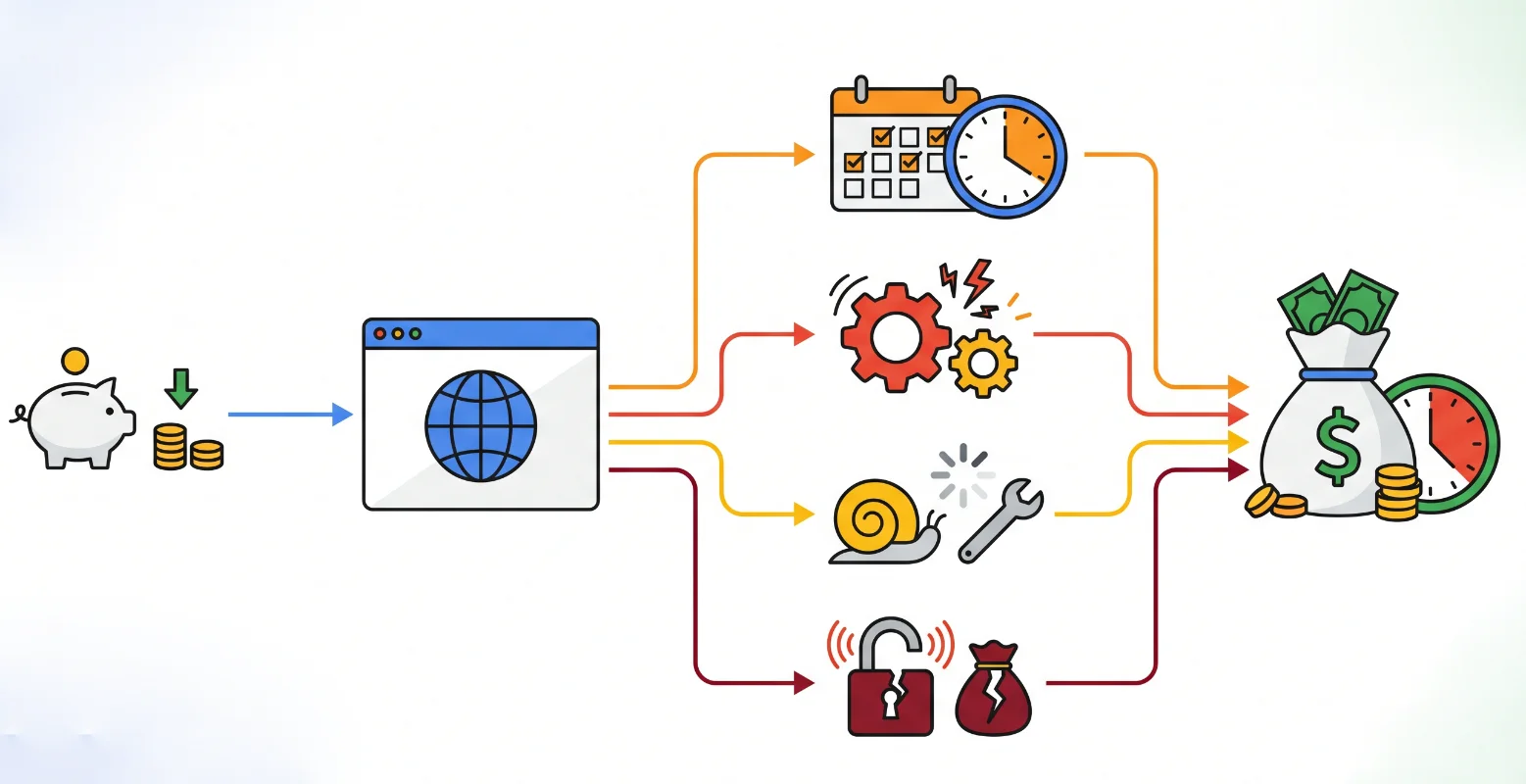
That “Cheap Plan” — Did You Really Do the Math?
Most people pick hosting based on one number: the monthly fee.
But that’s just the surface.
Think about everything you’ve spent since launching: time setting things up, fixing plugin issues, paying a freelancer after something broke, dealing with unexpected downtime.
Add it all together. Is it still cheap?
The problem isn’t bad decision-making — it’s that these costs are scattered. Hosting shows up as one charge. Freelancers are another. Your time doesn’t show up anywhere at all.
This guide puts all of it in one place so you can see the real number.
Column 1: The Visible Costs (That Still Add Up)
This is what most people look at — but even here, things get underestimated.
Hosting plans often start cheap, then double (or more) at renewal. Domains renew yearly. Some hosts charge extra for SSL. Premium plugins stack up quickly.
Even before anything breaks, you’re already paying more than the headline price.
Write down the real total here before moving on.
Column 2: The Costs You Paid Without Noticing
This is where “cheap” hosting usually stops being cheap.
Setup takes time — or money if you hired someone.
Maintenance is ongoing. WordPress updates, plugin conflicts, fixes when things break. You either handle it yourself or pay someone else.
Then there’s recovery. Sites go down. They get hacked. They break after updates. Fixing that is rarely free — and never convenient.
Migration is another hidden cost. Moving hosts means backups, DNS changes, reconfiguration — often another paid job.
Add this column up. Compare it to why you picked this host in the first place.
Column 3: Your Time (The Most Expensive Line Item)
What is one hour of your time worth?
Now count the hours: setup, troubleshooting, waiting on support, fixing issues, dealing with downtime.
Multiply those hours by your hourly value.
That number doesn’t show up on any invoice — but it’s real.
And it’s usually the biggest cost of all.
More to Explore
Is WordPress.com Right for You? A Simple Way to Tell
Column 4: The Costs You Can’t Easily Measure
Some losses don’t show up as clean numbers — but they still matter.
If your site is slow or down, how many visitors leave without telling you? You’ll never know.
A slow or unreliable site sends a signal: this business isn’t dialed in.
Then there’s opportunity cost. Every hour spent fixing technical issues is an hour not spent growing your business.
When you choose “cheap” hosting, you’re also choosing where your time goes.
Add all four columns together.
That’s your real hosting cost.
What Actually Makes a Hosting Plan Worth It?
At this point, the goal should be clear:
Minimize columns two and three.
A good hosting plan shouldn’t require extra time or extra spending just to function properly.
The question isn’t “is it cheap?” It’s “is the total cost low?”
More to Explore
Is WordPress.com Right for You? A Simple Way to Tell
Why I Switched to the WordPress.com Official Plan
When I ran this four-column breakdown, here’s what changed:
Yes, the monthly fee is higher.
But SSL, backups, and security are included — no extra plugins needed. That removes most of column one’s hidden costs.
The platform handles performance, updates, and security. That cuts down column two significantly.
The interface is visual and straightforward. I don’t spend time on maintenance anymore — column three is basically gone.
And with a stable, fast site, fewer visitors bounce due to performance issues. Column four improves as well.
On paper, it costs more.
In reality, it’s been the cheapest option I’ve used — because everything else disappeared.
If you want the latest pricing and features, !!! check the official site directly — that’s always the most accurate source !!!.
More to Explore
Why Business Owners Should Just Go with an Official WordPress.com Plan