Build an Exhibition Planning Proposal in 10 Minutes with AI

How Gamma Builds an Exhibition Planning Proposal
Gamma works differently. You describe what you need, and it generates the document.
Not by filling in a template—but by building the structure, layout, and visuals from your input.
To test it, try this prompt:
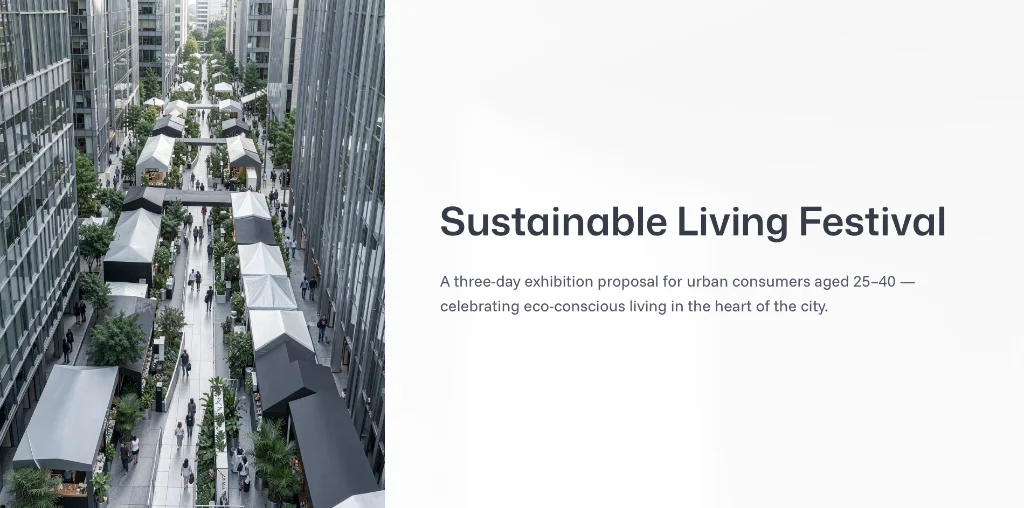
Create an exhibition planning proposal for a three-day event called “Sustainable Living Festival.” Target audience: urban consumers aged 25–40. Venue: a commercial district in a major city. Include event objectives, zone layout, execution timeline, promotional strategy, and budget framework. Tone: modern, clear, and professionally designed.
In about a minute, you’ll get a full proposal—event background, audience profile, layout plan, timeline, marketing strategy, budget framework, and KPIs.
The structure is already there. The design is handled. You’re editing something real, not building from zero.
You can review a live example here:
How to Write a Prompt That Actually Works
What you get out of Gamma depends entirely on what you put in.
A vague prompt like “create an exhibition proposal” gives you something generic. A detailed prompt gives you something usable.
Make sure you include:
- Event type: a product launch, trade show, or art exhibition all require different structure and tone.
- Target audience: demographics and behavior help shape messaging and positioning.
- Venue and duration: these affect layout, flow, and scheduling.
- Visual tone: whether you want something minimal, bold, or interactive changes the design direction.
When you include these, most outputs only need about 30% editing to reach final form.
Gamma vs. PowerPoint: What Actually Changes
This isn’t just about speed—it’s about what you’re working with from the start.
| Gamma | PowerPoint | |
|---|---|---|
| Starting point | Generated draft | Blank slide |
| Layout and visuals | Auto-generated | Manual setup |
| Structure | Built-in | Created from scratch |
| Revisions | Prompt-based | Manual edits |
| Sharing | Link-based | File attachments |
Where Gamma Really Saves Time
The biggest difference isn’t the first draft—it’s the revisions.
In PowerPoint, moving a section means rearranging slides, fixing alignment, and re-exporting. In Gamma, you just type the change, and it updates instantly.
After a few rounds of feedback, that time savings adds up fast.
Exporting and Sharing
Gamma lets you export to .pptx or share via a web link.
The link option is especially useful during review—just send a URL and anyone can view it in a browser. No downloads, no version confusion.
If you need to present offline, the PowerPoint export keeps things flexible.
Free accounts include 400 credits, which is usually enough for a full proposal cycle. No install required, and no credit card to get started.
Next time you’re up against a trade show deadline, let AI handle the first draft.
Starting from something instead of nothing makes the entire process faster—and a lot less frustrating.
More to Explore
Skip the Manual Work — Use Gamma AI to Generate an Exhibition Landing Page Fast